


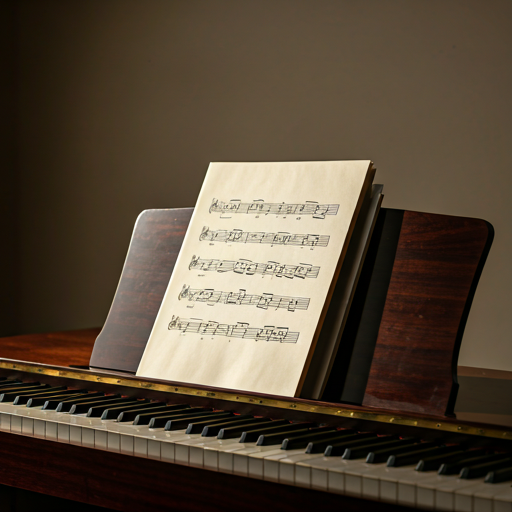

Unfortunately, the vast majority of piano apps and platforms on the market focus almost exclusively on commercial and pop music, setting classical repertoire aside. When we discovered Qlavist, we were amazed, as it is exactly the tool we have always dreamed of having!
Precision Piano Practice. Free.
Practice piano with interactive sheet music, structured technical exercises, classical repertoire, and real-time feedback on notes, timing, and dynamics — built for serious learners ready to move beyond the basics.
No subscription. Access Qlavist’s full practice library.
Interactive sheet music · Study & Performance modes · Dynamics feedback · Guided practice
Choose what to practice
Pick a piece, technical study, or guided path and start playing.
Why Qlavist
Qlavist brings structured practice, traditional notation, and real-time feedback into one place, helping serious learners build technique, play musically, and make steady progress.
Born From a Personal Journey
Inspired by his late mother’s piano teaching, a software engineer and amateur composer created Qlavist to make structured, serious piano practice more accessible. It brings together traditional notation, guided exercises, and real-time feedback to support the way students actually learn.
Practice With Musical Feedback
A good performance is not only about pressing the right notes at the right time. Qlavist helps you listen more closely to your playing, with feedback on timing, accuracy, and dynamics so practice becomes more precise and musical.
Build Your Practice Routine
Create your own practice mix from scales, chords, arpeggios, Hanon, Czerny, classical pieces, and technical studies. With guided practice paths and progress tracking, Qlavist helps you build technique step by step.
Interactive Piano Practice Tools
From visual clarity to measure-by-measure data: explore the features designed to help you work smarter and master the music you choose.
Beyond the Bouncing Bar

Stop chasing a scrolling cursor. Qlavist keeps notes lit for their exact duration, providing a crystal-clear view of the rhythm and sustain—even in the most intricate passages. This allows your eyes to stay on the music, not the interface.
Practice First. Perform When Ready.
Listen in Audition Mode (), use Study Mode () to learn notes without time pressure, focus on left or right hand when needed, then switch to Performance Mode () when you are ready to play musically.
Total Piece Coverage
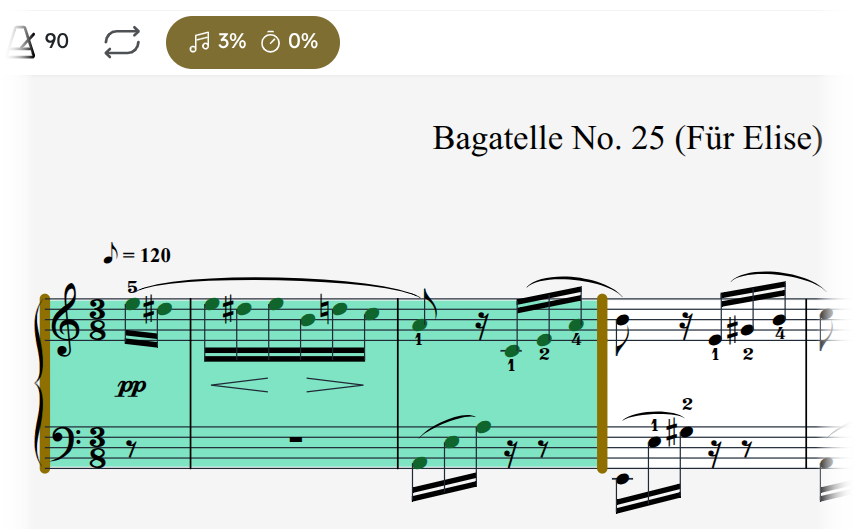
Qlavist tracks your accuracy across every bar to ensure total piece coverage. This granular breakdown identifies exactly which measures require more attention, so you can focus your effort where it is needed most.
THE QLAVIST COMMUNITY
In Their Own Words
Experiences from piano learners using Qlavist.
Interactive Sheet Music & Guided Practice
Practice from traditional notation with real-time feedback, then follow structured exercise paths that build technique step by step.
Interactive Sheet Music
Qlavist uses a natural notation layout to ensure that the skills you build translate directly to real-world sheet music.
- Note-to-Key Mapping: Click any note in the score to highlight its location on the on-screen keyboard.
- Measure Selection: Select specific measures to isolate or loop them for focused study.
- Separate Hands Practice: Work on the right hand, left hand, or both hands together to build accuracy and coordination before combining the full passage.
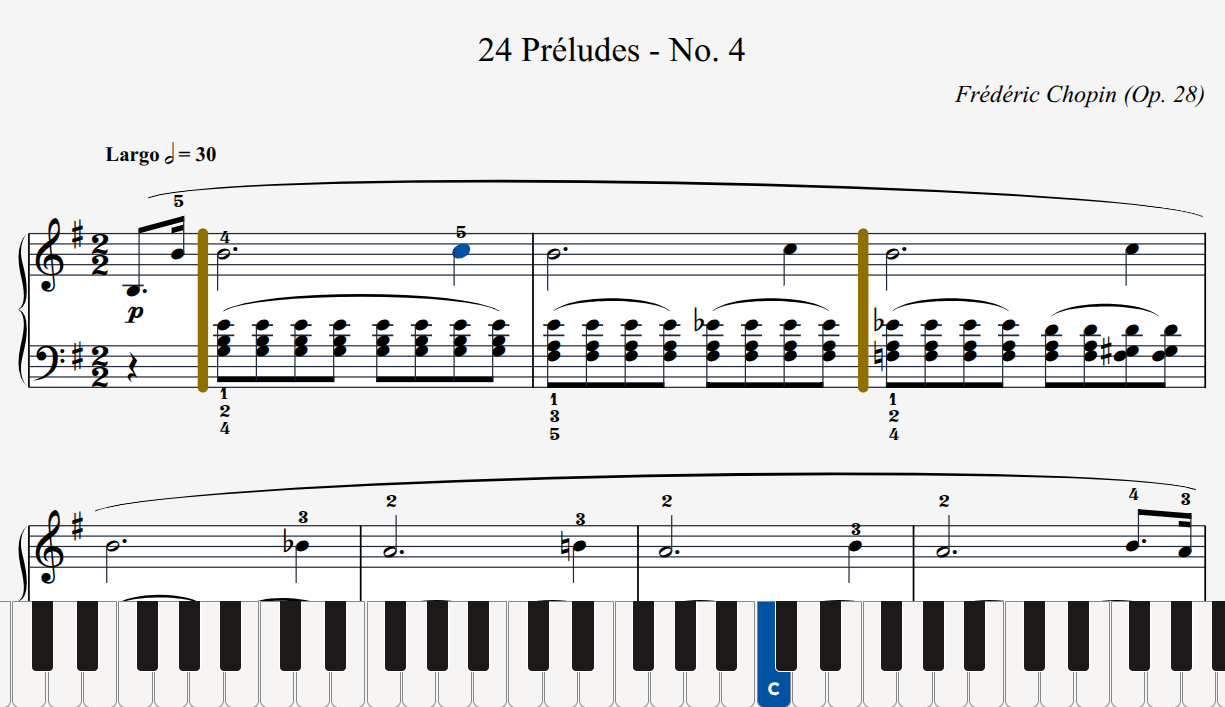
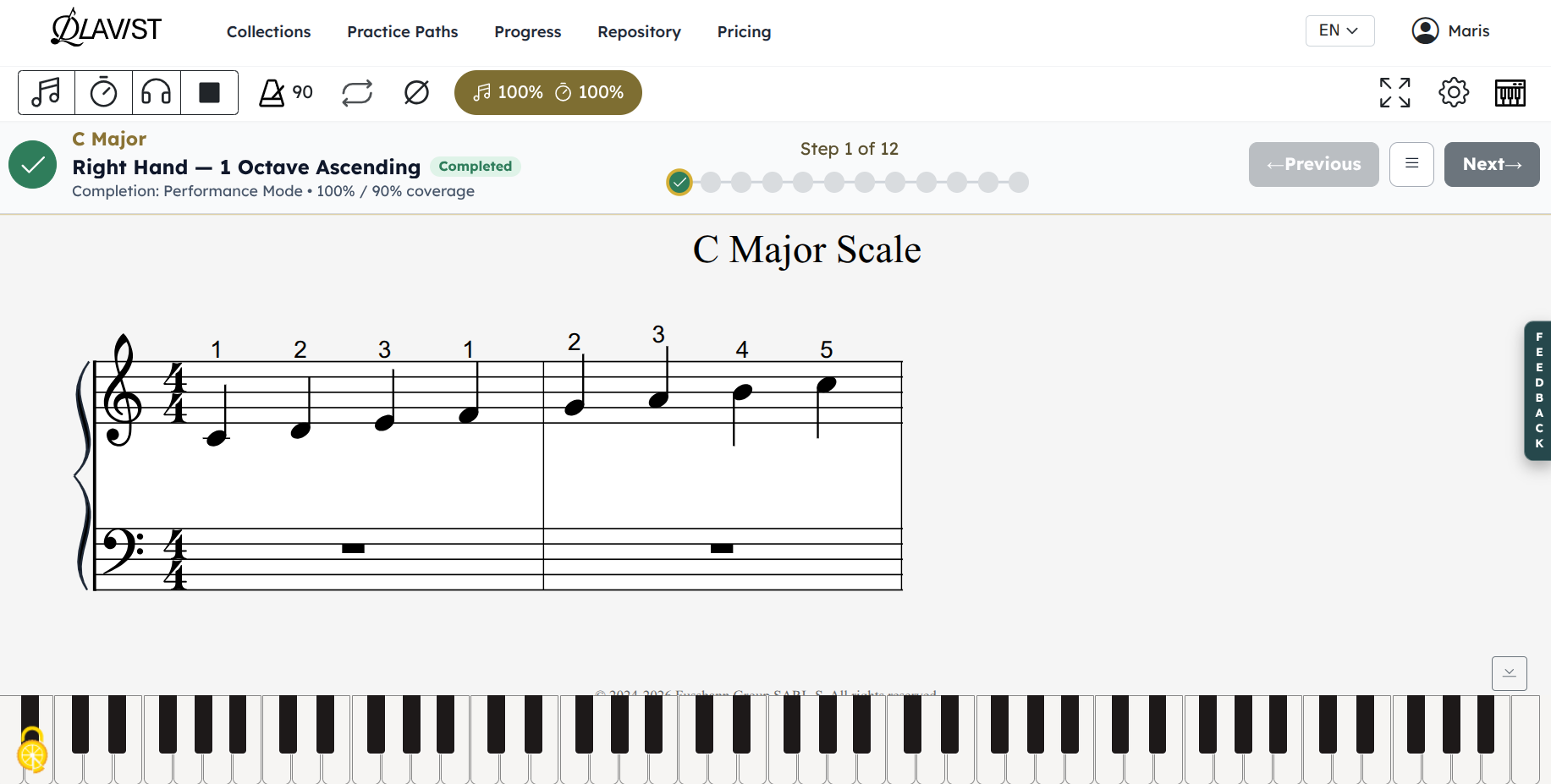
Guided Practice
Turn practice material into a structured path. Qlavist’s Guided Practice breaks technical skills into focused steps and practice packs, helping you know what to work on and when to move forward.
- Structured Practice Paths: Work through focused sequences covering scales, chords, arpeggios, intervals, technique, and more.
- Clear Progression: Complete individual practice steps and track your progress as skills build across a path.
- Practice With Purpose: Instead of choosing exercises at random, follow practice packs designed around specific technical goals.
Piano Exercises, Studies & Classical Repertoire
Structured material designed to take you from foundational drills to full classical performances. Each collection is built to help you master technical precision while developing your own musical voice.


Everything You Need to Practice. Free.
Explore scales, chords, arpeggios, technical studies, classical repertoire, guided practice paths, progress tracking, and Qlavist’s interactive practice tools.
Full Practice Access
Create a free account to save your progress and access the full practice library.
- Interactive exercises included
- Classical pieces included
- Guided practice paths
- Progress tracking
No subscription required.
Frequently Asked Questions
Yes. Qlavist is free to use, including interactive practice, guided practice paths, progress tracking, technical exercises, and available repertoire.
General use: Qlavist runs in your browser and is designed for focused practice on tablet and desktop screens. Phone screens are not ideal for reading interactive sheet music or using the full practice controls.
Supported platforms:
- Chrome on Windows, macOS, and Linux
- Chromebooks using ChromeOS
- Android tablets using Chrome
- Other Web MIDI browsers, including Microsoft Edge and Opera on desktop.
MIDI connection: When you connect a MIDI keyboard, your browser may ask for permission to access MIDI devices—select “Allow.”
iPhone and iPad: MIDI input from a digital piano is not supported in Safari or other iOS browsers because of Apple’s platform limitations. For MIDI input, try MIDIWeb Browser, a MIDI-enabled browser that may allow you to use your digital piano with Qlavist. Please note that Qlavist has not tested MIDIWeb Browser. You can still use Qlavist in Audition and Performance modes. We plan to release an iOS app in the future.
Yes—if you want Qlavist to track what you play (notes, timing, and dynamics), you’ll need a MIDI keyboard or digital piano. You can still browse the repository and use Audition Mode without one.
Past the “where’s middle C?” stage? Qlavist helps serious learners turn basic note-reading and note values into real technique, repertoire you love, and expressive dynamic control.